
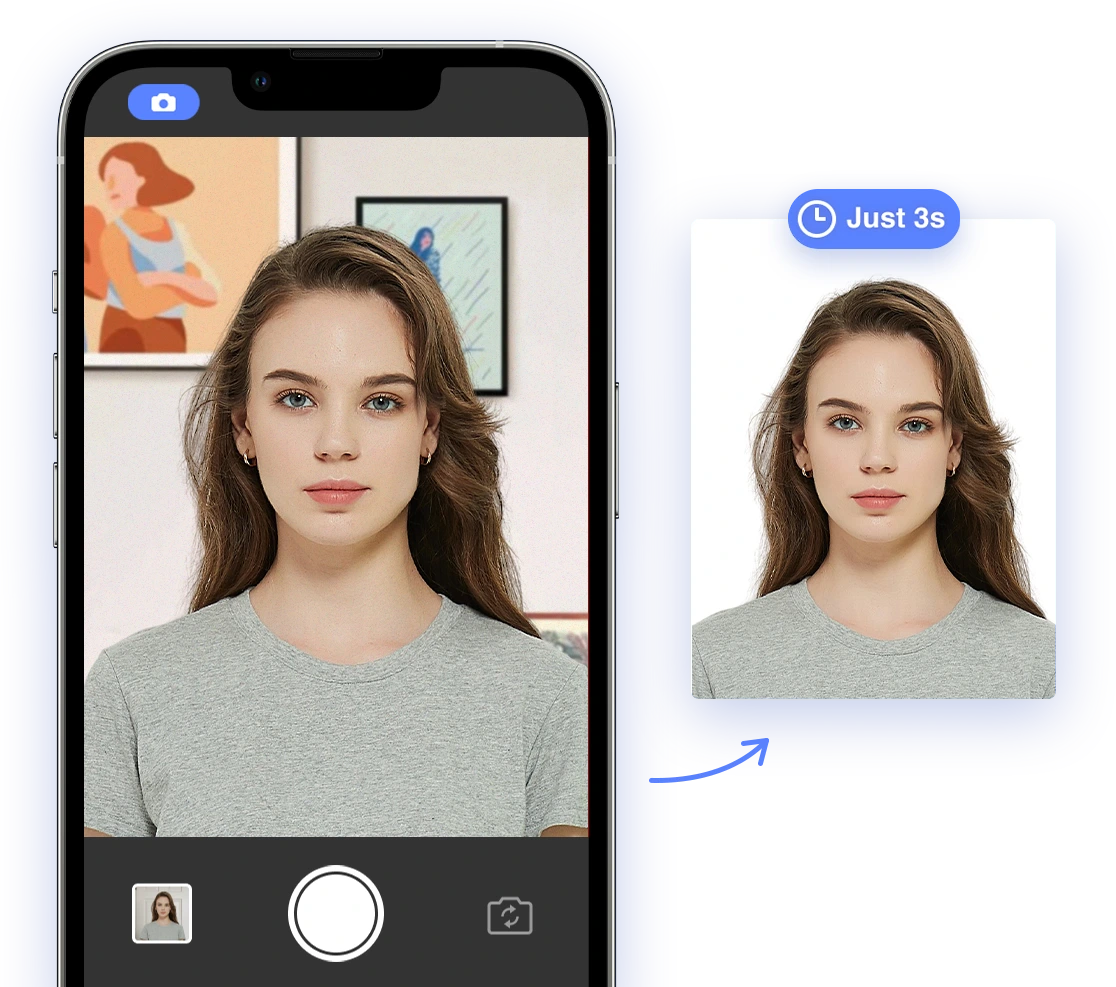
Why Compliant Passport Photos Are Crucial for Green Card Holders
Are you a Green Card holder planning a trip, needing to renew your Green Card, or applying for other official documents? A compliant passport photo is essential for various purposes, from international travel to maintaining your legal resident status. But getting a passport photo doesn't have to be a hassle or expensive. This comprehensive guide will walk you through the process of taking your own US passport photos at home, specifically tailored for Green Card holders, using the power of AI.
As a Green Card holder, you likely already know the importance of maintaining your legal status. A valid Green Card allows you to live and work permanently in the United States. Compliant passport photos are vital for:
- International Travel: When traveling outside the US, you'll need a valid passport and, in some cases, a visa. A compliant passport photo is a non-negotiable requirement for obtaining these documents.
- Green Card Renewal: When it's time to renew your Green Card, you'll need to submit a new photo that meets all the official requirements.
- Other Applications: You may also need compliant passport photos for other applications with USCIS (U.S. Citizenship and Immigration Services) or other government agencies, such as for employment authorization documents or other travel documents.
Using non-compliant photos can lead to delays or rejection of your application, potentially impacting your travel plans or legal status.
Understanding USCIS Photo Requirements for Green Card Applications
To ensure your Green Card application is processed smoothly, your photos must adhere to USCIS guidelines. Here's a breakdown of the key requirements:
- Quantity: When applying from within the United States, you will need to submit eight (8) total 2x2-inch passport-style photos as a beneficiary and two (2) as a sponsoring spouse.
- Size: 2x2 inches (51 x 51 mm)
- Color: Must be in color
- Recency: Photos must be taken within the last 6 months.
- Background: Plain white or off-white with no patterns or shadows
- Quality: Printed on thin, glossy or matte photo paper with high resolution
- Head Size: The head height should be 1 inch to 1 3/8 inches (25 mm – 35 mm), which should fill 50–69% of the frame.
- Eye Height: The eyes should be between 1 1/8 inches and 1 3/8 inches (28 mm – 35 mm) from the bottom of the image.
- Expression: Neutral facial expression with both eyes open and mouth closed
- Pose: Face the camera directly
- Lighting: Even lighting without shadows
- Clothing: Regular clothing. Avoid uniforms, unless worn for religious purposes
- Headwear: Not allowed unless worn daily for religious reasons, and the face must be fully visible without shadows
- Glasses: Not allowed, except in rare cases for medical reasons, with a doctor's note. Frames must not cover the eyes, and there must be no reflection, shadow, or obstruction
- Digital Image: If submitting a digital photo, it should be a JPEG image with a minimum size of 600 x 600 pixels
You can also find more information on the official USCIS website.
Specific Considerations for Green Card Holders
As a Green Card holder, you might have some unique questions or concerns when it comes to passport photos:
- Expired Passport from Country of Origin: Your passport from your country of origin is primarily used for international travel. For Green Card renewals or other applications within the US, the focus is on the photo itself and whether it meets USCIS standards. As long as the photo adheres to the USCIS guidelines, the status of your other passport typically doesn't matter.
- New Citizenship: If you've become a citizen of a different country after obtaining your Green Card, you should use a passport from that country for international travel. However, again, for Green Card-related applications in the US, the key is a compliant photo.
DIY Passport Photo Guide (AI-Powered)
With the right tools and a little preparation, you can easily take your own US passport photos at home. For helpful tips, watch this video: Passport Photo Tips. Here’s a step-by-step guide:
1. Setting Up Your Photo Shoot at Home
- Find a Well-Lit Area: Choose a room with plenty of natural light. Avoid direct sunlight, which can create harsh shadows. If natural light is limited, use soft, diffused artificial light. For inspiration, watch How to Take a Passport Photo with Your iPhone
- Use a Plain White Background: A white wall or a white sheet draped behind you works best. Make sure there are no patterns, textures, or shadows on the background.
- Stabilize Your Camera: Use a tripod or prop your phone/camera on a stable surface to prevent blurry photos.
2. Dress Code Guidelines
- Wear Everyday Clothing: Dress in clothes you would normally wear on a typical day.
- Avoid Uniforms or Camouflage: Uniforms, clothing that looks like a uniform, and camouflage attire are not allowed.
- Religious Attire: If you wear religious clothing daily, it is acceptable, but it must not obstruct your face.
- Jewelry and Accessories: Keep jewelry minimal, and ensure it doesn't obstruct your face or create reflections.
3. Taking the Photo
- Position Yourself Correctly: Stand or sit facing the camera directly. Keep your head level and your shoulders relaxed.
- Maintain a Neutral Expression: Look directly at the camera with a neutral expression or a natural smile. Keep your mouth closed. The video How to take ID photo and passport photo at home. Save money. #Passportphoto #visaapplication offers helpful demonstrations.
- Ensure Proper Head Size: The height of your head (measured from the bottom of your chin to the top of your head, including hair) should be between 1 inch and 1 3/8 inches (25 mm and 35 mm).
- Take Several Shots: Take multiple photos to ensure you have a few good options to choose from.
4. The Power of AI Passport Photo
Once you have a few photos, it's time to let AI take over! AI Passport Photo is an online tool designed to make passport photo creation easy and compliant.
- Automatically Crop and Resize:
Our AI technology will automatically crop and resize your photo to meet the exact 2x2 inch requirement.
- Remove Backgrounds and Ensure Correct Color:
The AI will automatically detect and remove any background, replacing it with a plain white one. It also ensures the color balance is correct.
- Verify Compliance:
AI Passport Photo checks your photo against all official requirements, including head size, eye position, facial expression, and more.
- Enhance Photo Quality:
AI algorithms subtly enhance the photo’s quality, ensuring it is sharp, clear, and suitable for submission. It is important to note that the AI will only make minor enhancement to the image. Digital alterations or enhancements are not allowed.
Ready to create your compliant Green Card photo? Link to AI Passport Photo
Troubleshooting Common Mistakes
Even with careful planning, mistakes can happen. Here are some common reasons for passport photo rejections and how to avoid them:
- Shadows: Ensure even lighting to eliminate shadows on your face or background. See Why my passport photo was rejected: Exposure for more information.
- Red Eye: Disable the flash or use red-eye reduction software.
- Blurry Photos: Use a tripod or stable surface to keep the camera steady.
- Incorrect Head Size: Position yourself correctly and use the AI tool to verify head size.
For more common mistakes and how to fix them, check out this video: 10 Passport Photo Mistakes That Will Get You Rejected (And How to Fix Them) #passportphoto
Printing Options
Once you've created a compliant digital passport photo, you'll need to print it. Here are a few options:
- Walgreens or CVS: These pharmacies offer passport photo printing services, typically providing two 2x2 inch photos for a fee.
- Walmart or Target: These retailers also offer photo printing services, often at a lower cost.
- Online Services: You can use online printing services to print your passport photo and have it mailed to you. Make sure the service uses high-quality photo paper.
Regardless of where you print your photos, make sure they are printed on high-quality photo paper with a matte or glossy finish.
Why Choose AI Passport Photo?
Using AI Passport Photo offers several advantages over traditional photo services:
- Cost-Effectiveness: Taking your own passport photo with AI is significantly cheaper than going to a professional photographer.
- Convenience: You can take your photo at home, at any time, without having to travel to a store or make an appointment.
- Guaranteed Compliance: Our AI technology ensures your photo meets all official requirements, minimizing the risk of rejection.
- Time-Saving: The entire process, from taking the photo to printing it, can be completed in minutes.
Get started with AI Passport Photo today and ensure your Green Card photo is perfect! Link to AI Passport Photo
If you are interested in the cost of a passport, you can read more US Passport Fees – How Much Are They?. If you are concerned about a rejection, you can see What if my passport photo is rejected?. For alternative options, please read Where to Get Passport Photos - All Options
Related Articles
- US Passport Fees – How Much Are They?
- What if my passport photo is rejected?
- Where to Get Passport Photos - All Options
Conclusion
Obtaining a compliant passport photo is a crucial step for Green Card holders. With this guide and the power of AI Passport Photo, you can confidently take your own photos at home, saving time and money while ensuring a smooth application process. Try AI Passport Photo today and experience the ease and convenience of AI-powered passport photos!