
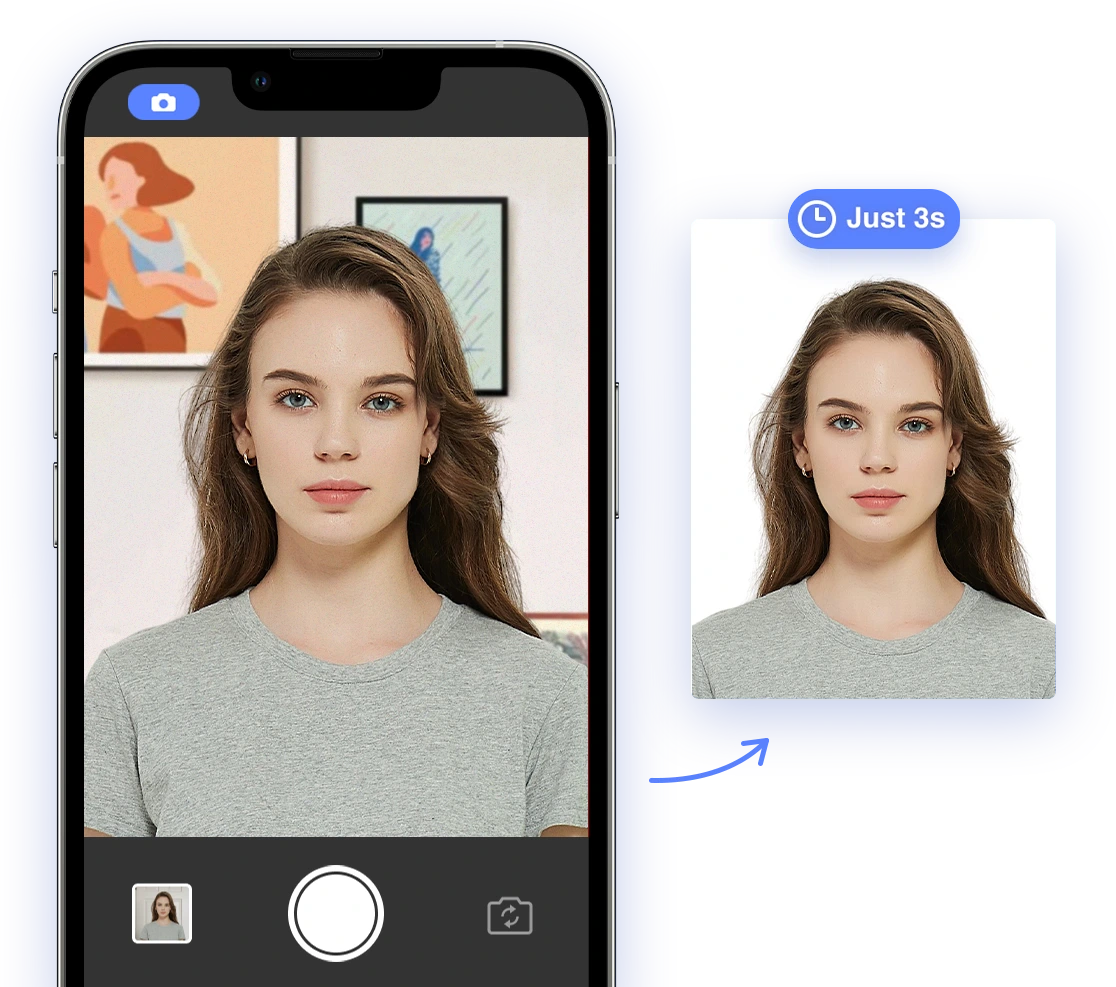
Emerging Biometric Passport Photo Standards in 2026
As we approach 2026, biometric passport photo standards are becoming increasingly sophisticated. Expect to see:
- Enhanced Biometric Security: AI algorithms analyze lighting, facial expressions, and background settings to ensure compliance.
For a deeper dive into how facial recognition is changing the game, check out this video: New Passport Photo Rules 2026: Avoid Rejection with Facial Recognition & Biometric Compliance. - Digital Integration: Digital Travel Credentials (DTCs) will allow you to store your passport on your smartphone, with biometric data securely saved in a digital wallet.
- Stricter Screening: Facial recognition software will automatically screen your photo, turning your face into a digital map and measuring facial symmetry. If the system cannot verify your facial symmetry, the application will be suspended.
- No Alterations or Filters: Avoid digital enhancements, as new software can detect photo tampering.
- Multimodal Biometrics: Mobile IDs may utilize face, iris, voice, and fingerprint recognition for enhanced security.
General Requirements:
- Photo Size:
- Most countries: 35 mm x 45 mm.
- United States: 2 x 2 inches (51 x 51 mm).
- Face Coverage: The face should take up 70–80% of the photo.
- Background: Plain white or light-colored. The background should be uniform with even lighting and no shadows. For tips on achieving the perfect background, see our article on choosing the right passport photo paper.
- Resolution: A minimum of 300 DPI is needed for high-resolution and sharp images.
- Color: Photos must be in color, and black and white photos are not accepted. Skin tones should be reproduced accurately.
- Recency: Photos must be taken within the last 6 months to reflect your current appearance. To show how easy it is to do on your own, see this video about how to take your passport photo at home!.
Appearance and Expression:
- Facial Expression: A neutral expression is required, with your mouth closed. Smiling, frowning, or having an open mouth are not allowed.
- Eyes: Eyes should be open, clearly visible, and looking directly at the camera. To find out more, read our guide on whether dark eyes are acceptable in passport photos.
- Head Position: Keep your head centered and upright, facing the camera directly without tilting. Both sides of your face should be visible.
- Glasses: In most countries, glasses are not allowed. In some instances, they may be permitted if medically required, but they must not cause glare.
- Head Coverings: Head coverings are generally not allowed unless worn for religious reasons. In such cases, the face should be fully visible with no shadows. For more specifics see our article about hair and passport photos.
Image Quality:
- Lighting: The face should be evenly lit, with no shadows or reflections. If you're taking photos at home, here's how to do it: How to take your ID photo and passport photo at home.
- Sharpness: All parts of the face should be in sharp focus with high contrast. Avoid blur or pixelation.
- Retouching: Do not digitally alter the photo. No filters, beauty edits, or AI enhancements are allowed.
Digital Travel Credentials (DTCs): Digital Travel Credentials (DTCs) are digital representations of a traveler's identity, serving as an alternative to traditional passports, either temporarily or permanently. They are designed to be as secure as physical passports, containing the same information. The International Civil Aviation Organization (ICAO) has defined three types of DTCs to allow for progressive development and adoption.
- How they work: DTCs consist of a virtual component that represents the traveler's data, which is stored on a device and secured with cryptographic measures.
- Benefits:
- Offer a simplified travel experience.
- Enable faster and more reliable border checks while protecting personal data.
- Allow for the sharing of personal travel data in advance, improving security checks and enabling the use of biometrics for seamless passenger flow.
- Can be stored securely on a citizen's device, making travel more convenient.
- May allow travelers who have lost their physical passports to request a DTC for immediate issuance, enabling them to return home without visiting consulates or embassies.
DTC Types (according to ICAO):
- Type 1 (eMRTD Bound): Generated by the user by reading the RFID chip in their passport using a mobile app or self-service kiosk. It does not have an independent lifecycle from the physical passport, and the physical passport must be presented to cross borders.
- Type 2 (eMRTD-PC Bound): Issued and digitally signed by the issuing authority. It is linked to the physical passport and can be linked to an additional physical component through cryptographic mechanisms.
- Type 3 (PC Bound): Issued and digitally signed by an issuing authority independently of a passport and is linked with a physical component like a smartphone or connected watch. It has its own life cycle.
AI's Revolutionizing Role in ID Photo Compliance
AI is transforming how we approach ID photo compliance, offering accuracy and convenience:
- Compliance Checks: AI algorithms verify background color, lighting, facial expression, image quality, and dimensions.
- Accuracy: AI identifies subtle issues that human reviewers might miss. For instance, AI can easily verify that your photo meets the specific passport photo size required.
- Guaranteed Acceptance: Some services, like AI Passport Photo, offer high acceptance rates, backed by money-back guarantees.
However, be aware of the limitations:
- Data Gaps: Government agencies don't publish specific rejection rates for AI-generated photos, making effectiveness hard to verify.
- AI Limitations: AI can struggle with uneven lighting, shadows, or unusual headgear.
- Human Oversight: Human verification remains essential for compliance-critical tasks.
Practical Tips for Taking AI-Assisted Passport Photos
Taking passport photos that meet evolving standards is easier than you think, especially with AI assistance:
- Use AI-Powered Tools: Utilize apps or online services that incorporate AI to guide you through the process and ensure compliance. AI can check for common issues, as described in this video about why passport photos keep failing and how to fix it. 2. Check General and Specific Requirements:. Refer to all official guidelines, such as appropriate photo sizes and facial expressions. Minor errors can lead to rejection. Check general and specific requirements, like whether or not it is okay to smile in a passport photo.
- Follow Lighting Guidelines: Ensure balanced lighting to avoid shadows. Natural light is best, but avoid direct sunlight.
- Maintain a Neutral Expression: Keep a neutral expression with your eyes open and mouth closed.
- Avoid Accessories: Remove glasses, hats, and jewelry unless required for medical or religious reasons. If you need to wear a head covering, see our article about the rules for hats in passport photos.
- Use a Plain Background: Use a plain white or off-white background.
- Ensure Image Quality**: Use a high-resolution camera or smartphone to get sharp and unblurred images.
Traditional vs. AI-Enhanced Methods: A Comparison
| Feature | Traditional Methods | AI-Enhanced Methods |
|---|---|---|
| Accuracy | Subject to human error | Highly accurate, AI-driven compliance checks |
| Convenience | Requires visiting a photo studio | Can be done at home with a smartphone |
| Speed | Can take time and multiple attempts | Instant feedback and adjustments |
| Cost | Higher cost per photo | Often more affordable, especially DIY options |
| Fraud Prevention | Limited fraud detection capabilities | Advanced AI algorithms detect tampering and fraud |
Real-World Examples of AI's Effectiveness
AI is already proving its worth in reducing passport photo rejections. For example, services using AI-powered compliance checks have seen significant drops in rejection rates compared to traditional methods. However, government agencies don't publish specific rejection rates for AI-generated passport photos, making it difficult to verify the actual effectiveness of AI. While hard to verify with official statistics, you can often find user-generated testimonials of satisfaction online.
AI's Role in Security and Fraud Prevention
AI is playing a crucial role in enhancing security and preventing fraud through advanced facial recognition techniques:
- Enhanced Identity Verification: AI algorithms can analyze facial features with greater precision, making it harder for fraudsters to use fake or altered photos.
- Real-time Authentication: AI-powered systems can perform real-time authentication, verifying a person's identity by comparing their facial features to the photo stored in their passport or other ID documents.
- Biometric Data Analysis: AI can analyze biometric data to detect anomalies or inconsistencies that may indicate fraudulent activity.
Selecting the Best AI Passport Photo Tools
Choosing the right AI passport photo tool is essential for a smooth application process. Consider the following factors:
- Accuracy and Compliance: Look for tools that guarantee compliance with official passport photo requirements. AI Passport Photo, for example, offers detailed compliance checks to ensure adherence to specific standards.
- Ease of Use: Choose a user-friendly tool with clear instructions and a simple interface. AI Passport Photo provides intuitive guidance, making the process accessible for all users.
- Features: Check for features like background removal, lighting correction, and automatic resizing. AI Passport Photo includes all these essential features to help you create a perfect photo.
- Cost: Compare pricing and choose a tool that fits your budget.
- Customer Reviews: Read reviews from other users to get an idea of the tool's reliability and effectiveness.
Conclusion
As we move closer to 2026, AI is set to revolutionize passport photography, enhancing security, streamlining verification processes, and simplifying the application process for travelers worldwide. By understanding the emerging trends and leveraging AI-powered tools, you can ensure your passport photo meets all the requirements and that your travel plans go off without a hitch.
Ready to take control of your passport photo compliance? Try AI Passport Photo today and experience the future of ID verification! Take the stress out of travel preparations and ensure your documents are ready for your next adventure.